Bookers can add or remove people while creating or editing a gig.
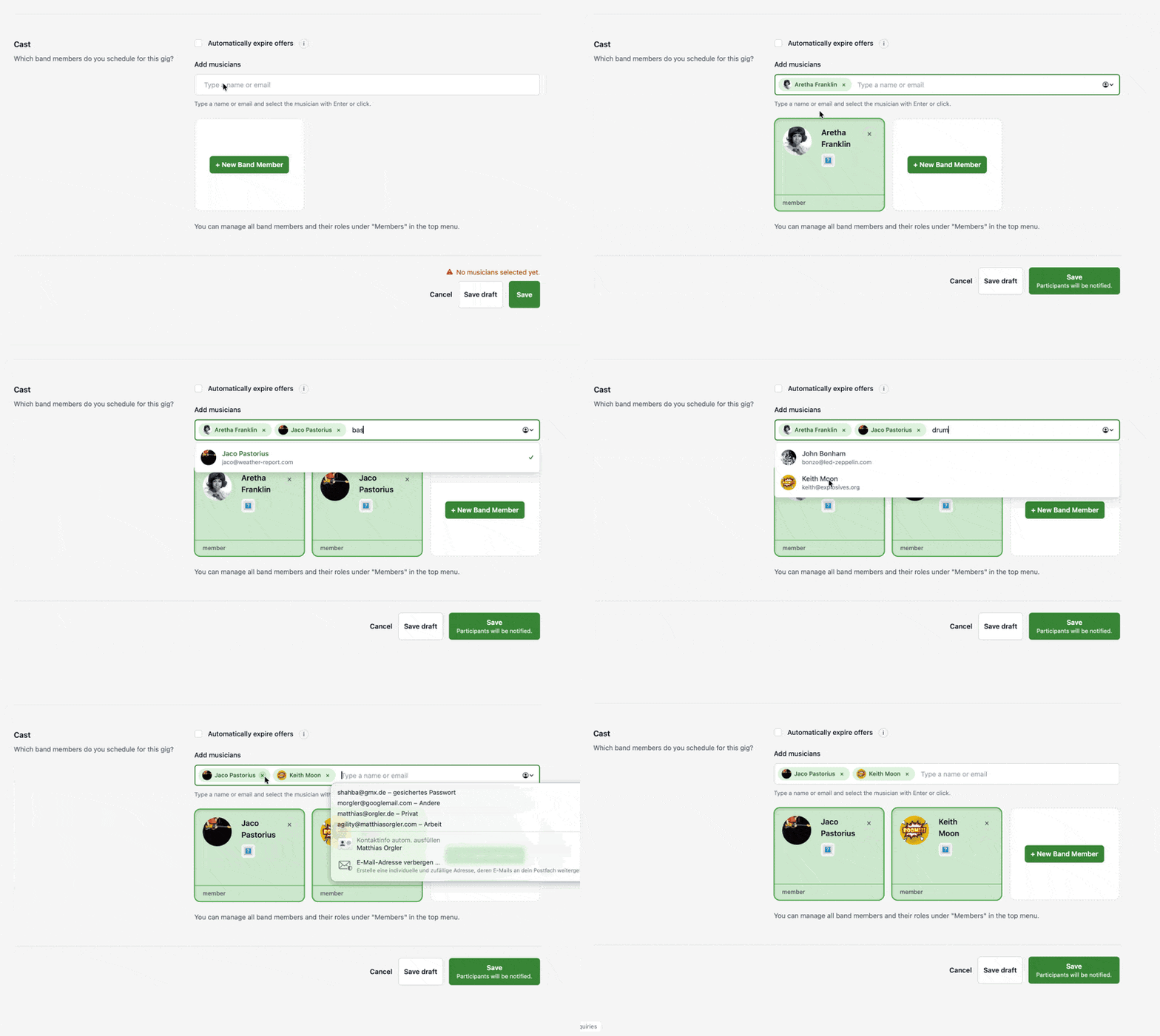
When you add people, they receive a gig offer. When you remove people, they are removed from that gig only.
If you add someone to a gig, Gixtra notifies them. If you remove someone from a gig, Gixtra notifies them that they were removed. After that, they no longer receive updates about later changes to that gig.
Removing someone from a gig does not remove them from the band. Removing someone from the band does not erase existing gig history.
Find the right people quickly
You can search while adding people to a gig.
Type:
- A person's name
- An email address or part of it
- An instrument or function such as
drumsormercher
If you want to find a drummer, type drummer and Gixtra shows matching people.
To remove someone from the selection, click the X or press backspace.
Who can be added to a gig?
Only people with roles that can attend gigs can be added as gig participants. These include:
- Band member
- Sub
- Mercher
- Technician
Roles such as administrator, booker, and accountant are not selected as gig participants unless that person also has an attending role such as band member.
If someone is not a member of the band yet, you can invite them while adding them to the gig. They are added to the band and to the gig.
Warnings about other gigs or calendar conflicts
Gixtra may show a warning if a musician already has another gig on that day, if dates overlap, or if their connected private calendar suggests a conflict.
This warning is only a heads-up. It does not block you from adding the musician.
You can still continue if you want to ask them anyway. If the musician has connected a private calendar, Gixtra only uses the busy information for the warning and does not show private event details. Learn more in Connect your private calendar to Gixtra.
Useful with replacements and short deadlines
If you need a fast reply from a sub or replacement, you can use Automatic Offer Expiry.
That lets you set a time limit for the offer. If the musician does not reply before the deadline, Gixtra automatically marks the offer as declined. Musicians who still have not replied receive a reminder 24 hours before the deadline.
This is useful when you want to give someone 48 hours to reply and move on quickly if they do not answer.
Different fees for different people
If different musicians should get different fees, use Individual fees explained.
That article explains how to turn on individual fees and assign a separate fee to each participant.
Update several gigs at once
If the same lineup change affects several gigs, you can now do that directly from the gig list.
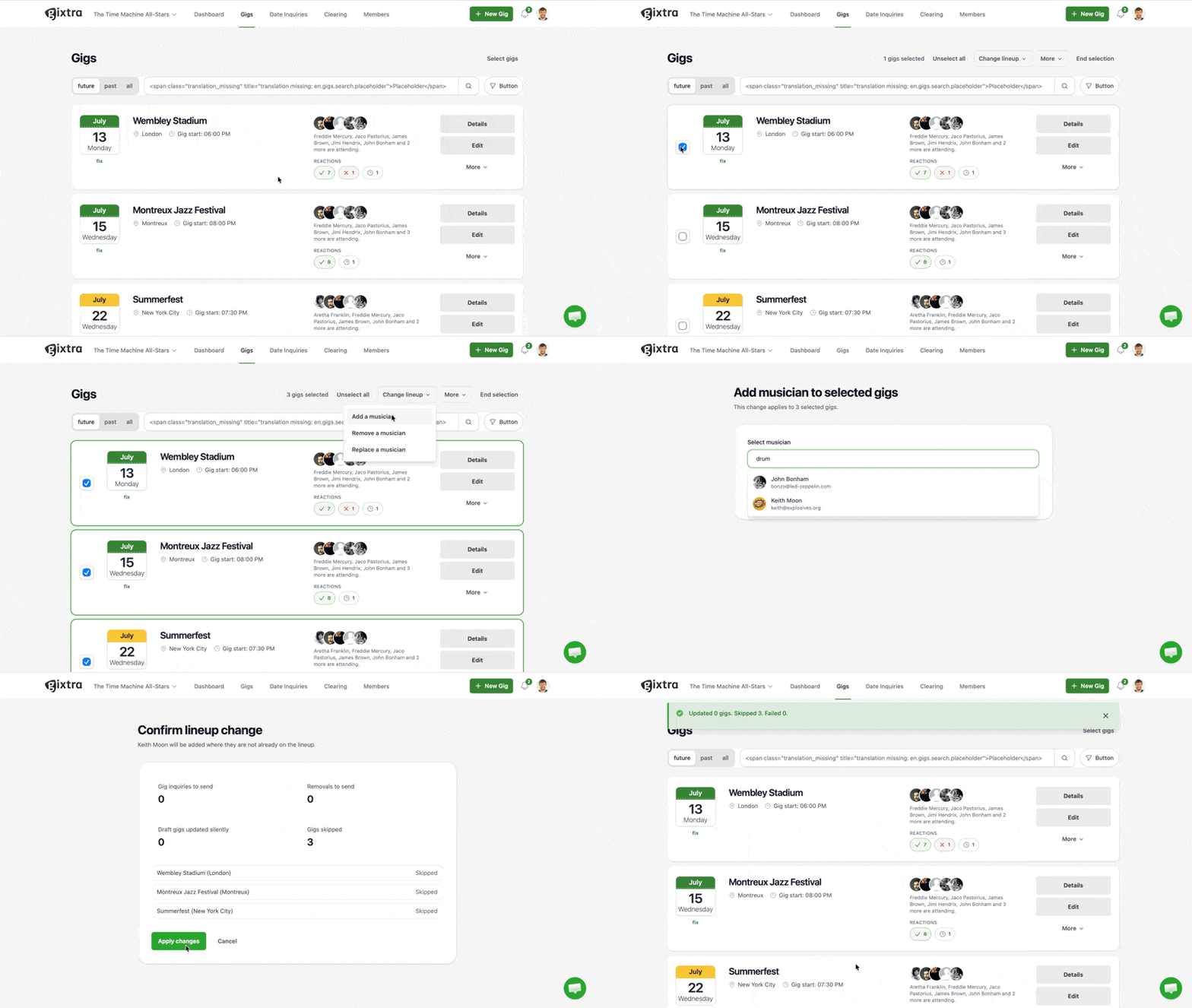
Bookers can select multiple gigs and then:
- Add musicians to all selected gigs
- Remove musicians from all selected gigs
- Replace musicians on all selected gigs
Bulk delete is still available as before in the More menu.
Before Gixtra applies the change, you see a confirmation step. Draft gigs stay unannounced, and if one gig cannot use the change, Gixtra skips that gig instead of blocking the whole batch.